
My Ergonomic Writing Setup
A behind-the-scenes tour of my evolving desk setup: the chair, desk, monitors, and peripherals that keep me comfortable for long writing sessions.

This isn’t typically something I’d do, but today I wanted to give you a behind-the-scenes look at my ergonomic setup, which is still very much an evolving work-in-progress.
Why do I even care about ergonomics? I spend a ton of time on my computer, whether I’m writing for work, writing my book, or playing MMOs. And I’ve met a few people who’ve had to get carpal tunnel syndrome surgery. I want to avoid that at all costs.
This guide is mostly just me sharing what I use, why I bought it, and what upgrades I’m considering next. Hopefully it inspires someone to take ergonomics seriously too.
If you want the quick walkthrough, the next section has YouTube video I made that covers my setup.
If you’d rather see everything in more detail, read on.
Quick note: I’m not signed up for any affiliate programs, so I won’t make any money from items I recommend.
Video
If you watch it, drop a comment with your setup, I’m always curious what other writers swear by. And if it helps, like and subscribe.
My Writing Ergonomic Setup
Here are the items I’ll cover in this setup:
Chair
Desk
Monitor
Peripherals (keyboard, mouse, etc.)
For each one, I’ll share a quick backstory, plus why I bought it and what I’d change if I had more money.
I’m starting with my favorite item first.
1. Chair
Several years ago, I bought the iRocks T07 Plus, and even now it still looks and feels new. This is one of the few products I’ve bought because I saw it in a sponsored YouTube video. Yes, I fell for a sponsored product, but it’s worth it.
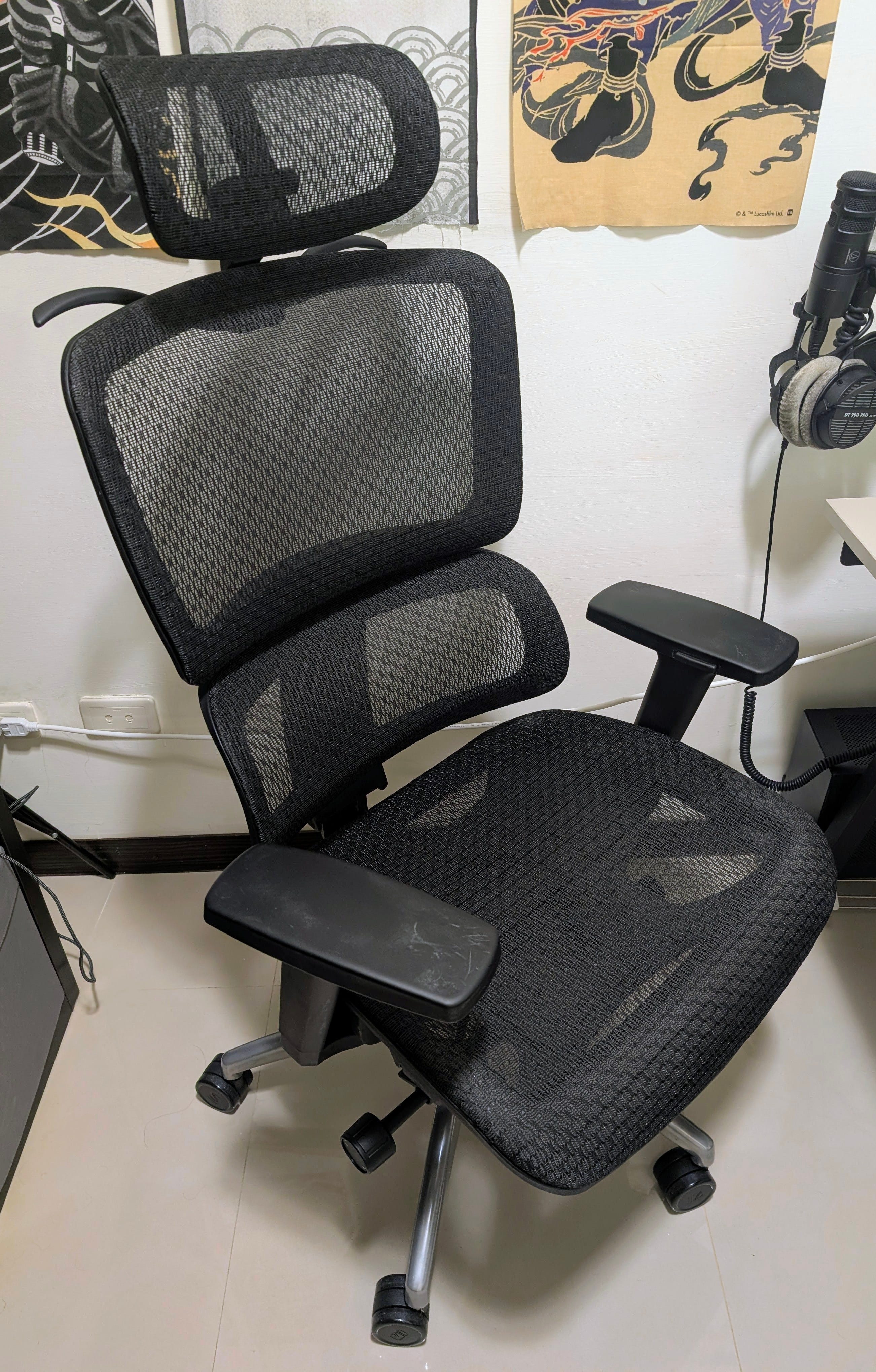
Anyway, I tried it in an electronics mall in Taiwan first, loved it, and then ordered one. After nearly breaking my back carrying it up five flights of stairs, I earned this chair. And it’s paid me back: I used to deal with a bit of lower back pain, and now I have none.
Here’s why I chose it:
Mesh backing: I run hot; mesh stays cooler and cleans up easier.
Lumbar support: legit support, and it actually makes a difference.
Adjustability: seat depth, armrests, and basically everything I’d want to tweak.
Build quality: it feels solid and well-made, not like cheap plastic.
Back hanger: perfect for hanging house hoodies or compression socks.
Aside from this chair, I’ve tried a few other options too.
First, a saddle chair.
I read a couple studies suggesting saddle chairs can help with lower spine pain (1, 2).
I didn’t get much lower spine pain, but I’d rather prevent problems than deal with them later. In practice, though, I hated sitting on it for long sessions. The material on the seat also started falling apart within a year, which killed any interest I had in sticking with it.
Then, a yoga ball…
Way back, I used a yoga ball as a chair because I’d heard it could strengthen your core. That didn’t work. It constantly pulled my attention away from writing, because I couldn’t fully settle in.
What chair are you using right now, and would you buy it again? Drop it in the comments.
2. Desk & Monitor
This part covers the big-ticket stuff: the desk itself, the monitors, and the stands that make them sit where they should.
A. Desk (Standing vs. Sitting)
I used to have an Autonomous.ai standing desk and I miss it dearly. Unfortunately, shipping a big desk across the world costs a small fortune, so I had to part with it. I hope the new owner treats it well.
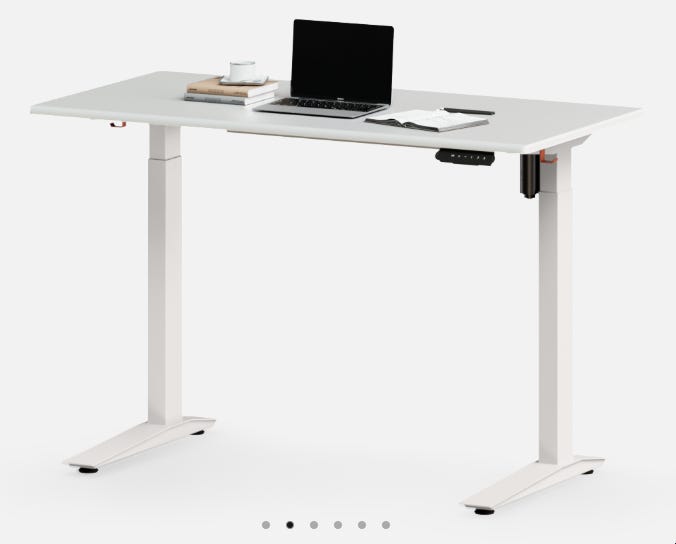
I can’t remember the exact model, but I only had the frame, and I bought a custom tabletop from IKEA to save some money. It felt sturdy and did everything I needed it to.
These days, I don’t think standing all day automatically equals “healthier.” Standing too long can create its own problems, and for me it makes more sense to rotate between sitting and standing every hour or two.
If I buy another standing desk in the future (which I plan to), I’ll treat it as a sit-stand option.
Honestly, I’ve found monitor placement makes a bigger difference for ergonomics than the desk itself. Getting my screens to the right height dramatically reduced neck strain more than standing ever did.
B. Monitors
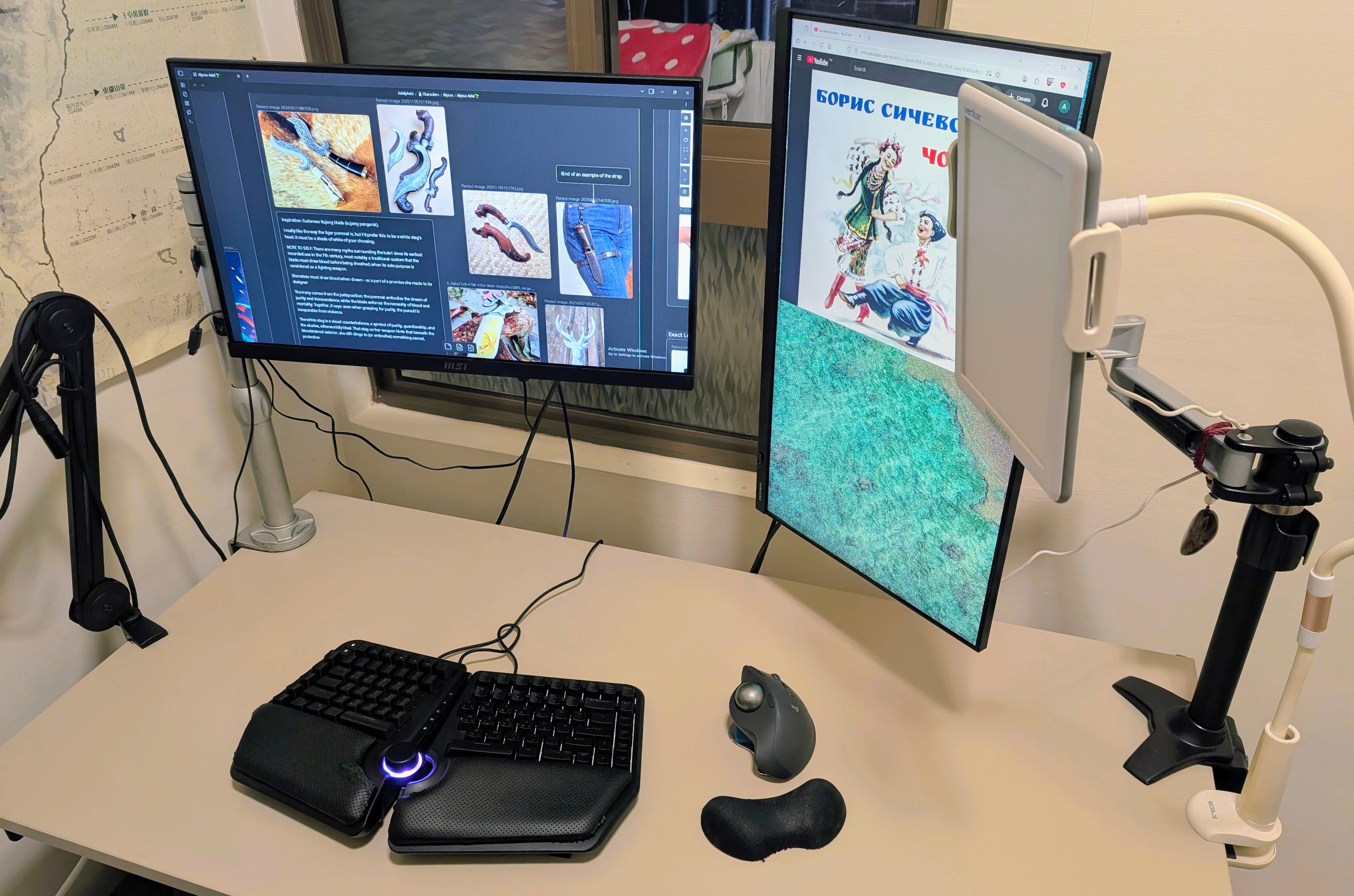
I don’t use anything fancy. I bought the cheapest monitors I could find and I use night mode at night.
From what I’ve read, and based on my own experience, I don’t recommend buying blue light glasses or choosing a monitor just because it advertises “eye care.” The marketing never matched what I noticed day-to-day.
Here is what’s helped me more than any monitor feature:
I sit about 20 to 30 inches (50 to 76 cm) from the screen.
If I creep closer, my eyes start to burn, so I reset my distance.
When my eyes feel irritated, I use preservative-free eyedrops (like Refresh).
I stop using my computer at least an hour and a half before bed.
If I had the disposable income, I’d probably buy an EIZO (I forgot the model) mainly for the built-in KVM, because it would make cable management a lot easier. And yeah, they look amazing.
Do you have this mystical EIZO model? Let me know what you think of it in the comments.
C. Monitor Stands
Monitor stands have made the biggest difference for neck pain. Right now, one of mine came from a second-hand store, and the other started life as a laptop stand.
They work, but I plan to replace both in the future.
Next, let’s get into a couple items that made some of the biggest differences for pain.
3. Peripherals
Not much to introduce here. This is basically my mouse and keyboard.
A. Mouse
After using a vertical Unimouse for more than four years, I couldn’t go back to regular mice. Every time I tried, my wrist complained.
So I spent months wandering computer stores all over Taipei looking for the one.
That side quest eventually led me to the Logitech MX ERGO. I usually don’t like Logitech products, but this mouse surprised me.
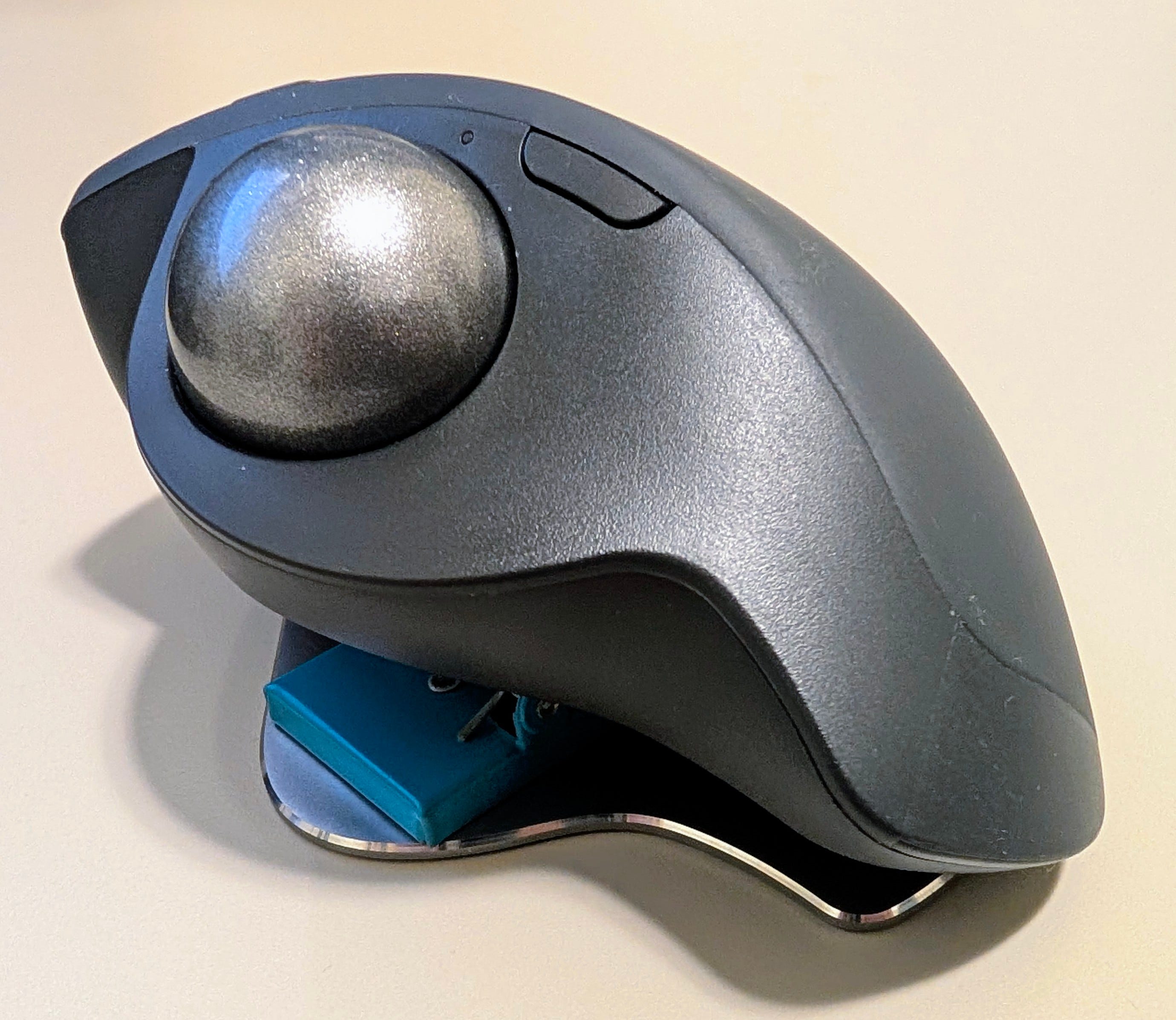
It feels more solid than the Unimouse I had, and it hits almost everything I wanted:
Trackball: helps me reduce wrist strain since I don’t have to move the whole mouse around.
Wired + wireless: I can use it however I want depending on the setup.
More ergonomic angle: it isn’t as vertical as the Unimouse, but I fixed that (more on this below).
Easy device switching: I can swap between devices without juggling USB dongles.
Lots of buttons: great for MMORPGs.
Fits my hands: a lot of mice felt too small, and this one doesn’t.
I also considered an Elecom trackball, but I hated how the left and right click buttons felt.
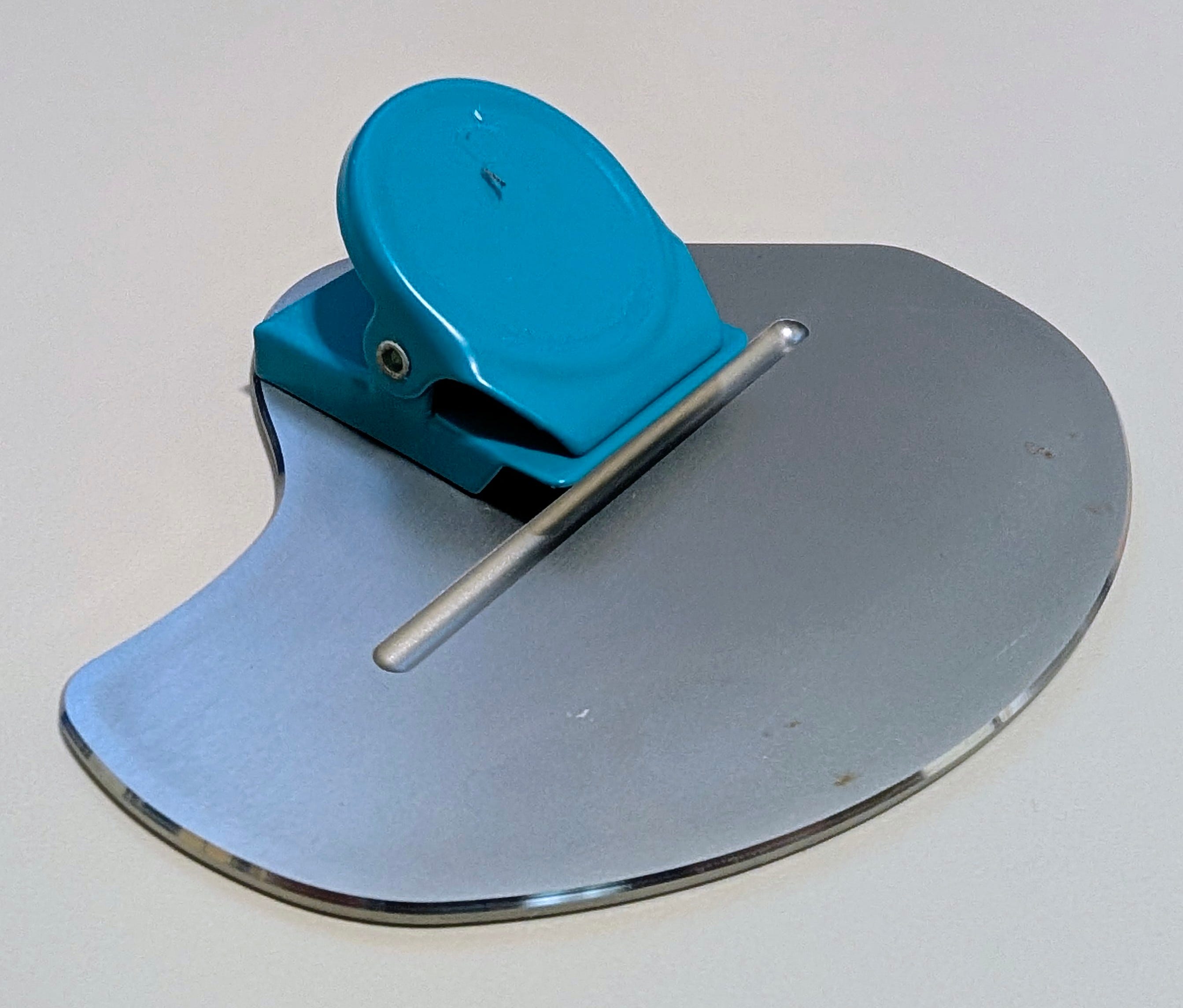
To make up for the MX ERGO not being vertical enough for me, I added a magnetic clip to change the angle. It slips sometimes and I have to re-adjust it, but it gives me the wrist position I want.
Here’s another peripheral that gave me problems…
B. Keyboard
When I bought the MX ERGO, I figured, “Why not buy the ergonomic keyboard too?” So I grabbed the Logitech ERGO K860 Split.
Hated it.
I’m only speaking from my own experience with the unit I bought: it started having issues within a few months, and dealing with the warranty process in Taiwan turned into a headache. After that, I moved on and bought a keyboard from a different brand.
Now I use the iRocks K59M. Is it “optimal”?
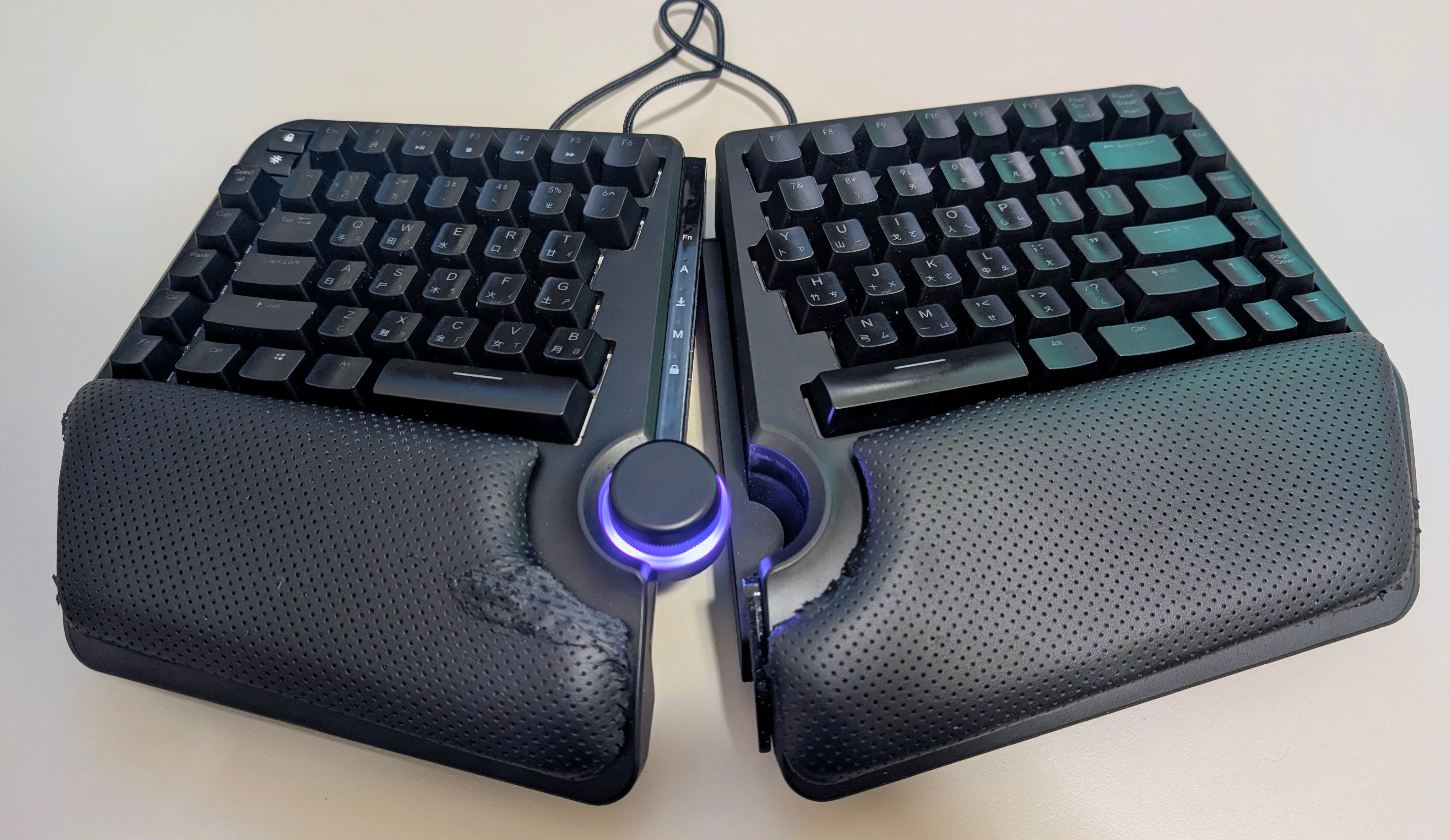
No. But I also don’t have the disposable income for a $400+ ergonomic keyboard.
Here’s what I like about the K59M:
Split layout: way more comfortable than a standard keyboard for long sessions.
USB-C: small thing, but I appreciate it.
That’s honestly it. I wanted a split keyboard that wouldn’t die in three months. After six-plus months, it still works, but it hasn’t been perfect: the tent stands already broke (cheap plastic), and the wrist rest has started falling apart.
Someday I’ll replace it. For now, this setup does the job and keeps me comfortable enough to write.
And that’s it for my setup. Thanks for reading.